You’ve built a beautiful Shopify store. Your product photos are fire. Your ads are running.
But when customers click “Checkout” — they see:
❌ “We don’t accept payments from Pakistan.”
❌ “No supported payment method available.”
Sound familiar?
You’re not alone. Thousands of Pakistani Shopify store owners face this daily — because Shopify Payments is NOT available in Pakistan, and many global gateways block Pakistani merchants.
But here’s the good news: There ARE reliable, working solutions in 2025.
In this guide, we’ll break down the Top 5 Payment Gateways for Shopify in Pakistan — including setup steps, transaction fees, currency support, and real user experiences from Lahore, Karachi, and Islamabad.
Let’s get your store accepting payments — from Bahria Town to Brooklyn.
Why Shopify Payments Doesn’t Work in Pakistan ???
Shopify Payments (powered by Stripe) is only available in 20+ countries — Pakistan is NOT one of them.
That means you must use a third-party payment gateway.
The problem? Most require:
- A foreign business entity
- USD bank account
- SSN/EIN (for US-based processors)
…which most Pakistani sellers don’t have.
✅ Solution? Use gateways that work with Pakistani individuals & businesses — no offshore company needed.
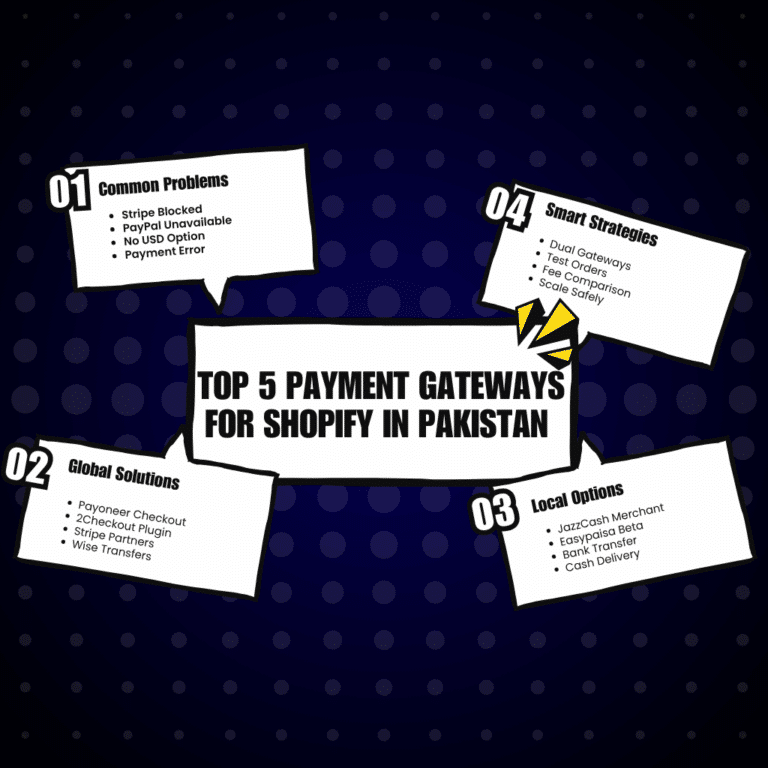
TOP 5 PAYMENT GATEWAYS FOR SHOPIFY IN PAKISTAN (2025)
#1: Payoneer Checkout (via 2Checkout / now Verifone) — Best for Global Sales
✅ Pros:
- Accepts Visa/Mastercard/Amex globally
- Supports USD, EUR, GBP — settles to your Payoneer account
- No need for foreign company or bank account
- Easy Shopify plugin integration
❌ Cons:
- Higher fees (~4.9% + $0.30 per transaction)
- Settlement takes 2–5 days
- Customer may see “2Checkout” at checkout (not your brand)
💰 Setup Cost: Free
📌 Best For: Dropshippers, digital products, global physical goods
💬 User Review: “I run a print-on-demand store targeting USA — Payoneer + 2Checkout lets me accept cards without Stripe. My first month: $3,200 in sales.” — Hamza R., Karachi
🔗 Learn how to connect Payoneer to Shopify
#2: JazzCash Merchant Account — Best for Local Pakistani Customers
✅ Pros:
- Accept PKR instantly via Mobile Account, QR, or Cards
- Low fee: 2% per transaction
- Trusted local brand — increases conversion
- Real-time settlement to JazzCash wallet
❌ Cons:
- Only accepts PKR — not ideal for international buyers
- Requires JazzCash Business/Merchant account approval
- No card vaulting or subscriptions
💰 Setup Cost: Free (Business account verification required)
📌 Best For: Local fashion, food delivery, services, coaching
💡 Pro Tip: Use this alongside Payoneer — offer “Pay in PKR via JazzCash” for locals + “Pay in USD via Card” for global buyers.
🔗 How to Set Up JazzCash on Shopify (Step-by-Step)
#3: Stripe via Partner Platforms (e.g., HyperPay, Tap Payments, Salla) — For Advanced Users
✅ Pros:
- Full Stripe experience (subscriptions, Apple Pay, etc.)
- Professional checkout flow
- Multi-currency support
❌ Cons:
- Must register business in UAE, KSA, or Egypt
- Needs local partner or reseller (costs $200–500 setup)
- Monthly compliance requirements
💰 Setup Cost: $200+ (via agencies like “StripeForPakistan.com”)
📌 Best For: Scaling brands targeting GCC or global markets
⚠️ Warning: Avoid shady “Stripe Pakistan” Facebook sellers. Use only verified partners.
#4: Cash on Delivery (COD) + Manual Bank Transfer — Simplest for Beginners
✅ Pros:
- Zero transaction fees
- Works with 100% of Pakistani customers
- No tech setup needed
❌ Cons:
- High risk of returns/fraud
- No automation — manual order confirmation
- Not scalable
💰 Setup Cost: Free
📌 Best For: Testing product demand, hyperlocal delivery (within city)
📌 Hack: Use Shopify’s “Manual Payment Methods” + WhatsApp order confirmation. Label it: “Bank Transfer or COD — Message us after ordering!”
#5: Easypaisa Merchant — Coming Soon (Beta Testing)
Easypaisa has announced Shopify integration for 2025 — currently in limited beta.
✅ Expected Features:
- Direct PKR payments
- QR + mobile + card options
- Dashboard inside Shopify admin
❌ Limitations:
- Not publicly available yet (as of April 2025)
- May require business registration
📌 Watch this space — we’ll update this guide as soon as Easypaisa goes live.
COMPARISON TABLE: Which Gateway Should YOU Choose?
| Gateway | Currency | Fees | Local PKR? | Global Cards? | Best For |
|---|---|---|---|---|---|
| Payoneer (2Checkout) | USD/EUR/GBP | ~4.9% + $0.30 | ❌ | ✅ | Global dropshipping |
| JazzCash | PKR | 2% | ✅ | ❌ (PK cards only) | Local customers |
| Stripe via Partner | Multi | ~3.5% | ❌ | ✅ | Scaling brands |
| COD + Bank Transfer | PKR | 0% | ✅ | ❌ | Beginners/testing |
| Easypaisa (Soon) | PKR | TBD | ✅ | ❌ | Future local sales |
HOW TO ADD PAYMENT GATEWAY TO SHOPIFY (STEP-BY-STEP)
- Go to Shopify Admin → Settings → Payments
- Under “Third-party providers”, click “Choose a provider”
- Select your gateway (e.g., “2Checkout”, “Manual Payment”)
- Enter API keys or merchant ID (provided by Payoneer/JazzCash)
- Activate & test with a $1 order
📌 Need help? We walk students through this step-by-step in our Shopify Mastery Course at Digital Upthrust — including live setup demos and troubleshooting.
🎯 FINAL TIP: TEST BEFORE YOU SCALE
Start with 1 gateway (e.g., JazzCash for local testing).
Once you get 10–20 orders, add Payoneer for global reach.
Track which converts better — then double down.
“Main ne pehle sirf COD rakha — jab 50 orders ho gaye, Payoneer laga diya. Ab 70% sales foreign se aate hain.”
— Alisha K., Women’s Apparel Store, Lahore
FAQS: PAKISTANI SHOPIFY STORE OWNERS ASK
Q: Can I use PayPal with Shopify in Pakistan?
A: No — PayPal doesn’t allow Pakistani merchants to receive payments via Shopify.
Q: Is there any FREE payment gateway?
A: COD + Bank Transfer is free — but manual. JazzCash is lowest fee (2%).
Q: Which gateway has the highest approval rate in Pakistan?
A: JazzCash for locals. Payoneer for global.
Q: Can I use multiple gateways?
A: YES! Offer JazzCash (for locals) + Payoneer (for global) — increases conversions.